 jquery bootstrap slider
 bildergalerie html
 slide jquery
 carrousel web
 Immagini Galleria
 网络幻灯片: 效果的幻灯片
 Galeria De Imagens
 слайдер изображений, слайдшоу, CSS слайдер
 Bild Galleri
 画像のスライダー&ギャラリー
 Afbeeldingen Caroussel



 Youtube & Vimeo
 How to create title image with code
 How to add jquery for images
 How to make a random image rotation
 How to make a html slideshow for website
Recent Demos
-
 content slider jquery
Stream Theme
with Fly Effect
content slider jquery
Stream Theme
with Fly Effect
-
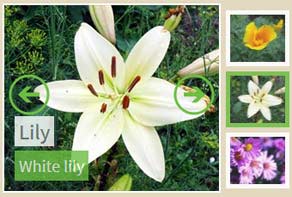 Free online photo slideshow generator
Balance Design
with Blast Transition
Free online photo slideshow generator
Balance Design
with Blast Transition
-
 Wordpress Plugin
Shady Style
with Stack vertical Effect
Wordpress Plugin
Shady Style
with Stack vertical Effect
Slider Demos
-
 bootstrap carousel examples
Bootstrap Style
with TV Animation
bootstrap carousel examples
Bootstrap Style
with TV Animation
-
 Best Slider
Crystal Template
with Basic Linear Transition
Best Slider
Crystal Template
with Basic Linear Transition
-
 Automatic Image Slider jQuery
Noir Design
with Squares Transition
Automatic Image Slider jQuery
Noir Design
with Squares Transition
More Demos: bootstrap carousal, AI Website Builder, HTML slider, Slick carousel, Bootstrap carousel, HTML slideshow, CSS Slideshow, jQuery carousel, Image carousel
Related
More questions
- software photo slideshow,
- animated slideshow software,
- digital slideshow software,
- windows slideshow software,
- slideshow creation software,
- photography slideshow software,
- website slideshow software,
- slideshow making software,
- software for slideshow,
- photo software slideshow
- gallery wordpress lightbox,
- banner slider javascript,
- image slider jquery example
 Stop image scroller js auto play
Q: I notice that i can pause a slide on hover ... however, if i click on a dot or number (for instance, slide 3 of 5), that the view will jump to that slide, but it will not pause. it will keep playing.
is there a way to stop the slide show upon clicking on a number?
that's a normal behavior in many websites, and my client wants that.
A: Please, go to
Gallery->Properties->General
Uncheck "Auto play Slide Show" option.