 jquery image slideshow
 bildergalerie html
 galerias jquery
 diaporama css
 Immagini Galleria
 网络幻灯片: 效果的幻灯片
 Galeria De Imagens
 слайдер изображений, слайдшоу, CSS слайдер
 Bild Galleri
 画像のスライダー&ギャラリー
 Afbeeldingen Caroussel


 Youtube & Vimeo
 How to make images slide in html demo
 How to create a slideshow using the wow slider
 How to a link on image to image
 How to make a free jquery slideshow in wordpress
Recent Demos
-
 Javascript Gallery Download
Megalopolis Layout
with Slices Effect
Javascript Gallery Download
Megalopolis Layout
with Slices Effect
-
 Javascript image slider free
Contour Style
with Cube Animation
Javascript image slider free
Contour Style
with Cube Animation
-
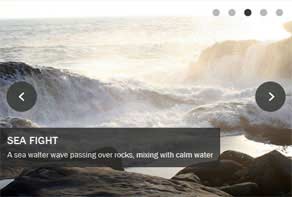 Wordpress Gallery Plugin
Shady Style
with Stack vertical Effect
Wordpress Gallery Plugin
Shady Style
with Stack vertical Effect
Slider Demos
-
 Free slider jquery
Elegant Design
with Basic linear Transition
Free slider jquery
Elegant Design
with Basic linear Transition
-
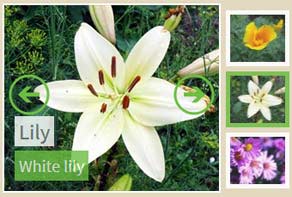 Free online photo slideshow generator
Balance Layout
with Blast Animation
Free online photo slideshow generator
Balance Layout
with Blast Animation
-
 jQuery Scrolling Banner
Pinboard Template
with Fly Transition
jQuery Scrolling Banner
Pinboard Template
with Fly Transition
More Demos: carrusel bootstrap, AI Website Builder, HTML slider, Slick carousel, Bootstrap carousel, HTML slideshow, CSS Slideshow, jQuery carousel, Image carousel
Related
More questions
- photo slideshow builder,
- joomla photo slideshow,
- photo slideshow template,
- photo slideshow programs,
- photo slideshow script,
- web photo slideshow,
- photo slideshow website,
- download photo slideshow,
- creating photo slideshow,
- photo slideshow widget
- jquery slider code,
- slider css template,
- bootstrap slider not working
 Can I change text parameters in slider wordpress plugin?
Q: I downloaded wowslider and am considering using it for our site. It looks beautiful, however I'd like to be able to change the location of the text and its text size. Is there a way I can do that?
A: Yes, you can change it manually. Please, open the generated .css file in any text editor. Here you can find the code like this:
#wowslider-container1 .ws-title {
    background: none repeat scroll 0 0 #FFFFFF;
    border-radius: 0 10px 10px 0;
    bottom: 17px;
    box-shadow: 0 0 2px #5D5D5D;
    color: #5D5D5D;
    display: block;
    font-family: 'Open Sans',Arial,Helvetica,sans-serif;
    font-size: 18px;
    left: 0;
    margin: 9px 9px 9px 0;
    opacity: 0.8;
    padding: 8px;
    position: absolute;
    z-index: 50;
}
and change parameters that you want.